
Spend less time on worksheets. More time teaching.
Worksheet Builder turns the materials you already have into interactive, auto-graded assignments, so planning, grading, and progress all live in one place. We’re opening a free beta to a first group of teachers.
Free during beta · No credit card · Unsubscribe anytime
A live look at your teacher dashboard — search and filter, it really works.
Hello, Ms. Nicole!
Here’s an overview of your recent updates and activities.
Quick Actions
Recent Assignments
Fractions Quiz - 5th Grade
Geometry Test - 6th Grade
Decimals Challenge - 4th Grade
Algebra Practice - 7th Grade
Multiplication Tables - 3rd Grade
Linear Functions Review - 8th Grade
No assignments found.
Recent Activity
- John Smith submitted Geometry Test 2 min ago
- You graded: Multiplication Tables - 3rd Grade 13 min ago
- You created: Fractions & Decimals - 5th Grade 1h ago
Class Insights Snapshot
- 5 students scoring below 70%
- 2 overdue assignments
- Top-performing class: Period 2


Drowning in Worksheets and Grading?
Between lesson planning, grading, and juggling multiple tools, it’s easy for teaching to feel fragmented and overwhelming. Worksheet Builder replaces that chaos with one organized workflow where your materials, assignments, and grading all live together.
Free during beta · No credit card · Unsubscribe anytime


Turn Any Worksheet Into an Auto-Graded Assignment
Upload your existing worksheets or files and convert them into interactive assignments in minutes. Assign lessons, track student progress in real time, and keep worksheets, classes, and grades organized without adding more tools to your day.
Free during beta · No credit card · Unsubscribe anytime
Turn Existing Materials Into Interactive Lessons
Upload your existing files and use our AI conversion tool to turn them into interactive, self-graded assignments.



Explore Worksheet Builder’s Teacher Dashboard
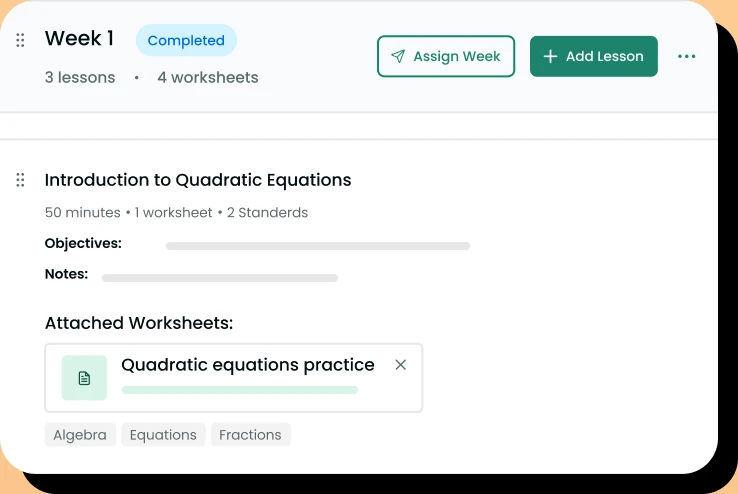
Build Lesson Plans for the Entire Year
Organize lessons and interactive modules into structured units that support your curriculum. Keep everything ready to assign from a single dashboard.
Create and Manage Assignments
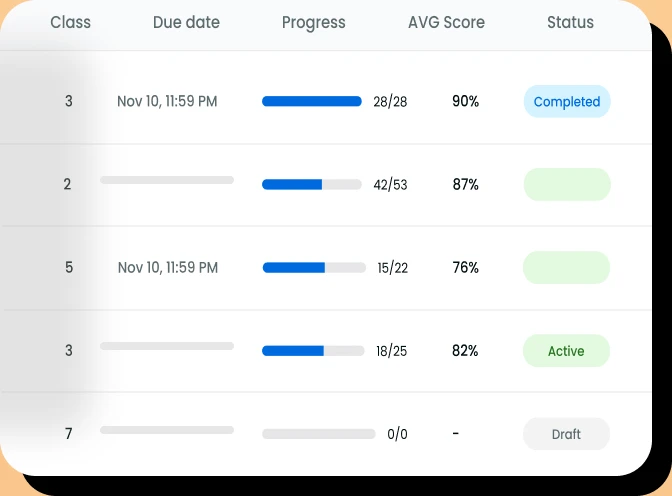
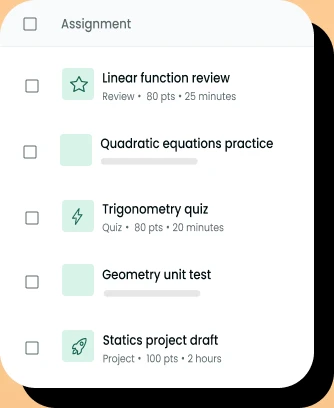
Convert worksheets and files into interactive assignments with automatic grading. Assign work to classes or individuals from one dashboard.
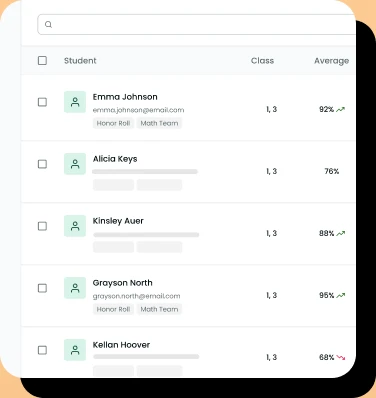
Student Tracking
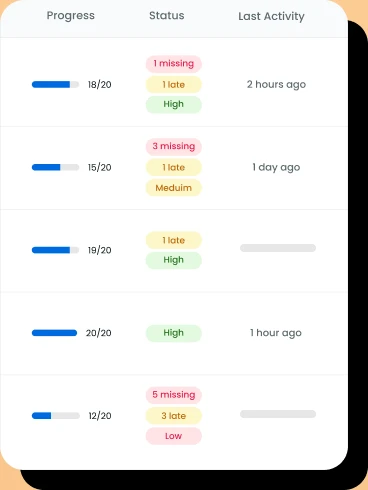
Monitor student progress across lessons and assignments in real time. Quickly see who has completed work, who needs support, and where learning gaps are developing.
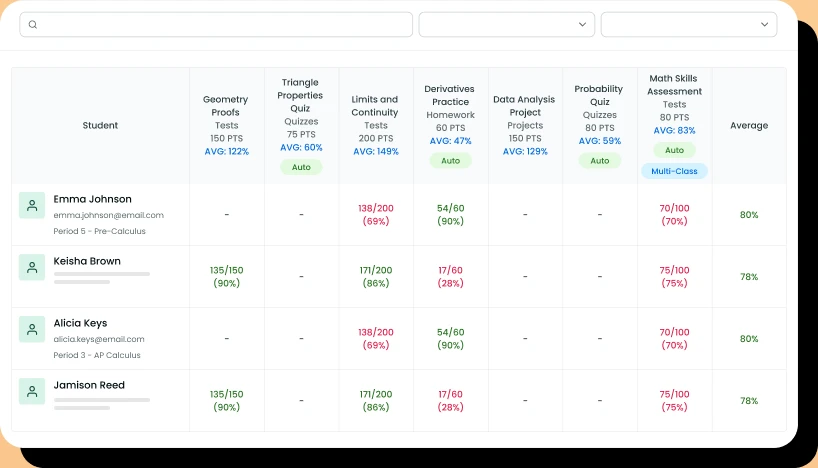
Gradebook
Automatically collect and organize student scores in a built-in gradebook. Review performance and export grades without manual entry.
We keep your data safe and sound
Privacy-first by design. Worksheet Builder is built to align with FERPA, COPPA, and GDPR requirements for K-12 schools and districts.
Learn more-
 FERPA Family Educational Rights and Privacy Act
 -
 COPPA Children’s Online Privacy Protection Act
 -
 GDPR General Data Protection Regulation
Be one of the first teachers to use it
We’re building Worksheet Builder with teachers, not just for them. Join the beta and you get:
-
Free while we build it
Full access during the beta. No cost, no credit card.
-
A say in what we build
Tell us what’s missing. Your feedback decides what ships next.
-
Early access
Get in before public launch and start the year a step ahead.
-
A direct line to us
Real people who build classroom tools, ready to help when you need it.
Free during beta · No credit card · Unsubscribe anytime
Why we’re building this
I’ve worked with education platforms long enough to see the same problem again and again: teachers need quality worksheets quickly, but the tools around them often make the process slower, not easier. Worksheet Builder is our attempt to make worksheet creation more practical, flexible, and teacher-friendly. We’re starting with a free beta because the product should be improved with real teacher feedback, not assumptions.
Free during the beta
We’re not charging anything while the beta is open. You get full access in exchange for honest feedback. When we introduce pricing later, beta testers hear first and get looked after.
Free during beta · No credit card · Unsubscribe anytime
FAQ
Yes. You can edit a worksheet at any time. However, changes will only apply to students who have not started the worksheet yet. Submissions already in progress or completed will remain unchanged.
Build a worksheet from scratch, start from a template, or convert an existing PDF into an interactive version. When it’s ready, choose a class or individual students, set a due date, and assign it from your dashboard.
Yes. The same worksheet can be assigned to one class, several classes at once, or a selection of individual students — so you can differentiate work without duplicating it.
Students open the assignment from their dashboard, complete the interactive worksheet in the browser, and submit it with one click — no printing or scanning required.
Auto-gradable questions are scored as soon as a student submits, and open-ended responses can be reviewed and graded by you. Results appear in the gradebook so you can track progress by student, class, or assignment.


Still have questions?
Our team is here to help. Reach out and we’ll get back to you shortly.
Contact us